
Z16C3220VSC
Zilog
The Zilog Z16C3220VSC is an Integrated Universal Serial Controller (IUSC) featuring dual-channel DMA and multiprotocol support. It operates at speeds up to 20 MHz.


| Distributor | Stock | Pricing | MOQ | PKG | Lead Time | Date Code | On Order Quantity | On Order Delivery | |
|---|---|---|---|---|---|---|---|---|---|
|
3,500 pcs
|
3500 pcs | On Request | 1 | On Request | On Request | On Request | On Request | On Request |
| Category | |
| Manufacturer Name | |
| Current | |
| Function | |
| Operating Temperature | |
| Supplier Device Package | |
| Voltage |
The Zilog Z16C3010VSC is a CMOS Universal Serial Controller (USC) belonging to the Zilog USC family. This interface controller is designed for a wide range of applications requiring serial communication.
Key electrical specifications include an operating temperature range of 0°C to 70°C and a supply voltage range of 4.5V to 5.5V. The device consumes a supply current of 7mA.
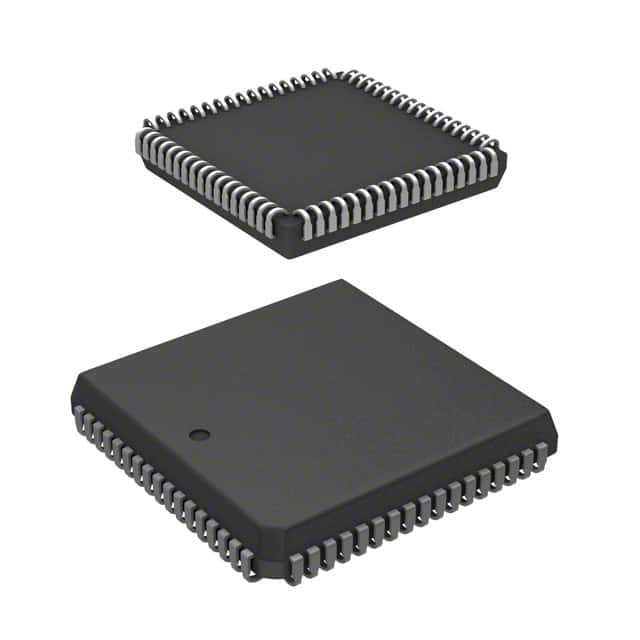
The Z16C3010VSC is housed in a 68-PLCC package, with an alternative 68-LCC (J-Lead) designation for its case style. This packaging is suitable for various surface-mount assembly processes.
This component is part of Zilog's USC series, known for its robust serial communication capabilities. Its design focuses on providing reliable data transfer in embedded systems.
| Qty | Low | High |
|---|---|---|
| 1+ | $3.65 | $3.65 |
Estimated market price range - modelled values for guidance only, not live distributor offers.
The Z16C3010VSC operates within a temperature range of 0°C to 70°C.
The supply voltage for the Z16C3010VSC is between 4.5V and 5.5V.
The Z16C3010VSC has a supply current of 7mA.
The Z16C3010VSC is available in a 68-PLCC package, with a 68-LCC (J-Lead) case style.
Overheating issues with the Z16C3010VSC microcontroller typically occur due to insufficient cooling or improper voltage supply. Ensure that the voltage supplied to the device is within the recommended range. Overclocking or operating the chip beyond its capacity can also lead to excessive heat generation. Adequate heat dissipation methods, such as using heatsinks or ensuring proper airflow, are recommended to prevent thermal damage.
If the Z16C3010VSC is not responding or initializing properly, it could be due to several factors such as incorrect programming, improper connections, or power supply issues. First, verify that the power supply is stable and within the specified range. Check the programming and reset logic to ensure that the initialization sequence is correctly followed. If the device is being used with external peripherals, ensure that all connections are correct and that there are no short circuits. Additionally, check for any potential firmware or software issues that could be causing initializat