

| Distributor | Stock | Pricing | MOQ | PKG | Lead Time | Date Code | On Order Quantity | On Order Delivery | |
|---|---|---|---|---|---|---|---|---|---|
|
6,898 pcs
|
6898 pcs | On Request | 1 | On Request | On Request | On Request | On Request | On Request | |
|
1,842 pcs
|
1842 pcs | On Request | 1 | On Request | On Request | On Request | On Request | On Request | |
|
1,538 pcs
|
1538 pcs | On Request | 1 | On Request | On Request | 21+ | On Request | On Request |
| Category | |
| Manufacturer Name | |
| AEC Qualified | |
| Automotive Grade | |
| Current | |
| Function | |
| Industrial Grade | |
| Interface | |
| Lead Spacing | |
| Medical Grade | |
| Military Grade | |
| Operating Temperature | |
| Protocol | |
| Standards | |
| Supplier Device Package | |
| Supply Current | |
| Supply Voltage | |
| Voltage |
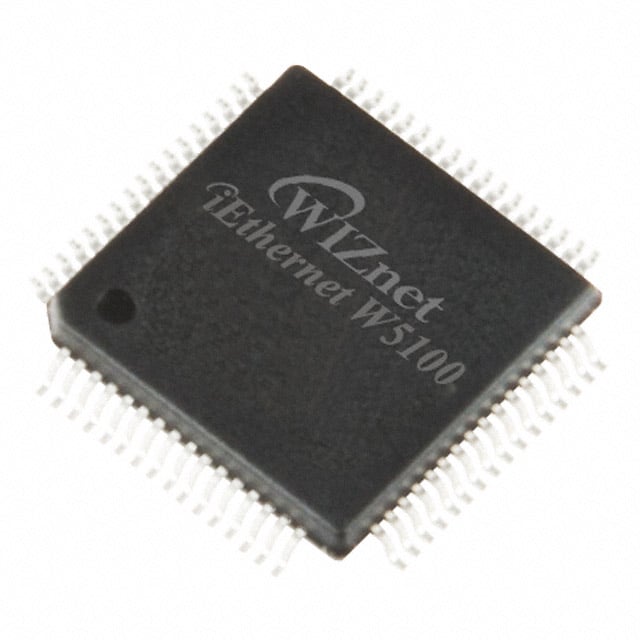
The WIZnet W5100 is an integrated circuit designed to function as an Ethernet controller. It features an SPI interface for communication and supports 10/100 Base-T/TX PHY standards, making it suitable for various networking applications.
This controller operates within a wide temperature range of -40°C to 85°C, ensuring reliability in diverse environmental conditions. It requires a supply voltage between 3V and 3.6V and consumes a low supply current of 5µA.
The W5100 is housed in an 80-LQFP package, with a supplier device package specified as 80-LQFP (10x10). Its primary function is to act as a controller for Ethernet communication protocols.
This component is compliant with RoHS3 standards. Further details on its environmental compliance, such as REACH and MSL, are available but require verification.
| Qty | Low | High |
|---|---|---|
| 1+ | $3.65 | $3.65 |
Estimated market price range - modelled values for guidance only, not live distributor offers.
The W5100 operates between -40°C and 85°C.
The W5100 requires a supply voltage ranging from 3V to 3.6V.
The W5100 uses an SPI interface.
The W5100 supports 10/100 Base-T/TX PHY standards.
The W5100 is available in an 80-LQFP package.
When facing connection issues, ensure that the hardware connections are secure, the network settings are correctly configured, and the firmware is up-to-date. Verify the IP configuration, subnet mask, and gateway. Additionally, check for any conflicts in the MAC address or IP address with other devices on the network.
If the W5100 is unresponsive, it may be due to incorrect configuration or hardware malfunction. Check that the device is properly powered and connected to the network. Also, confirm that the network settings are correct, and ensure that the appropriate port is open and not being blocked by firewalls.